AcademEA Help Center - Dashboard Overview
1. Understanding the Dashboard
Quick summary metrics and system statisticsThe AcademEA Dashboard is the landing page displayed immediately after logging in. It provides a real-time overview of key school statistics, financial collections, and student data.
- Total Statistics: Track metrics like Total Students, New Students, and Expected Fees for the term.
- Financial Summaries: Monitor daily, monthly, and term collections for school fees, feeding fees, and transport fees.
- Quick Actions & Lists: View students in arrears and recent fee transactions directly from the side panels.
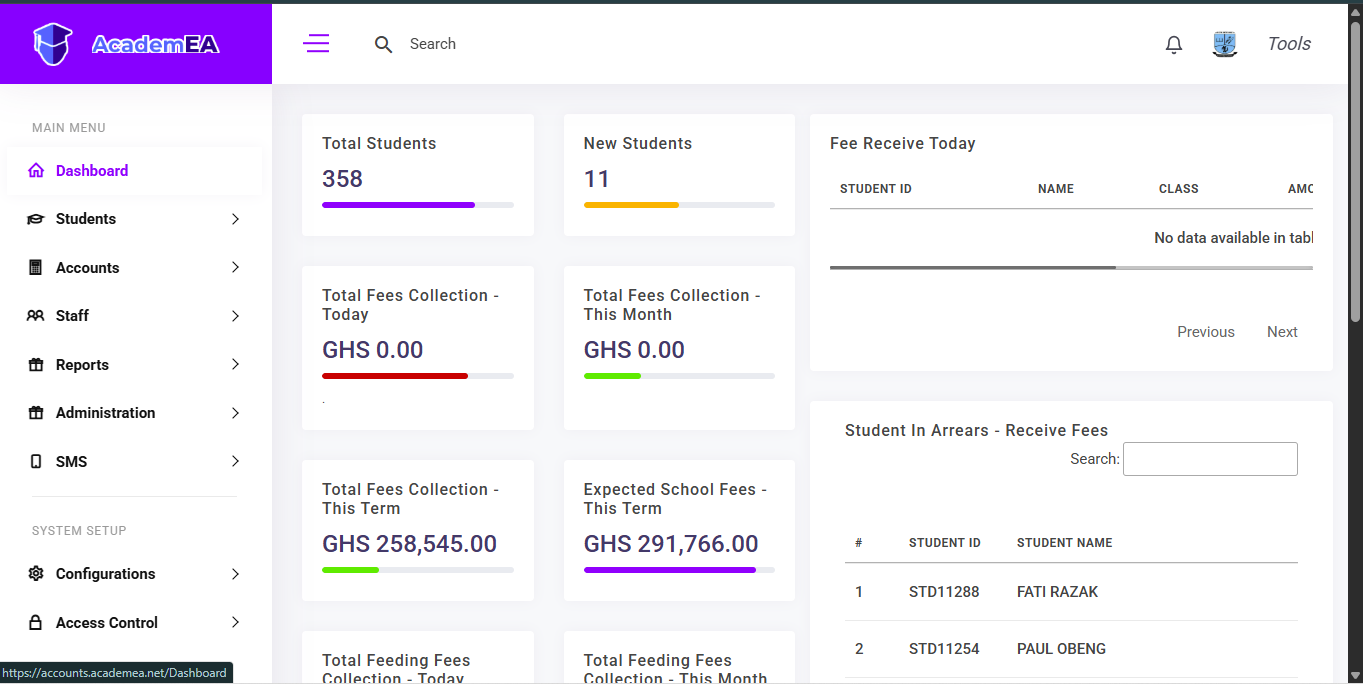 Figure 1.1: Top section showing student metrics and fee collection cards.
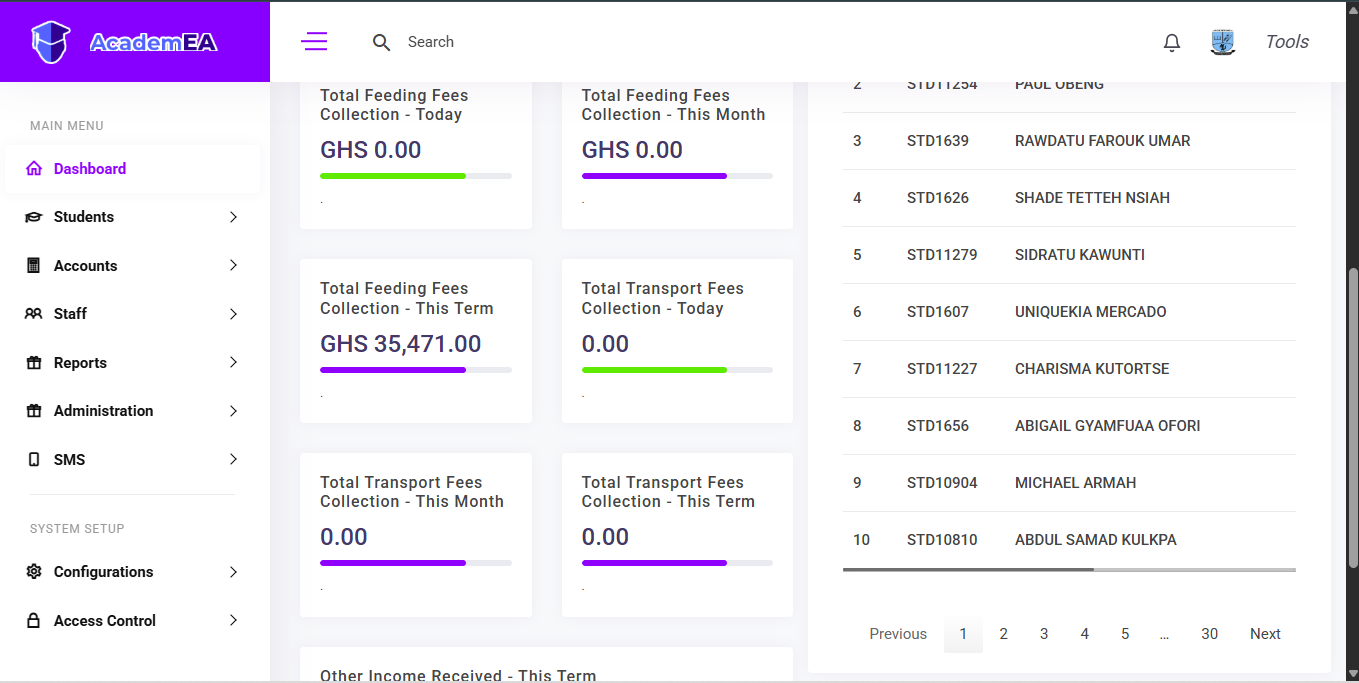 Figure 1.2: Bottom section showing fee breakdowns and arrears tables.